In our previous explorations across Industrial Ethernet (DLR) and the Cloud Handshake (MQTT Sparkplug B vs. OPC UA), we built the nervous system and data backbone of the factory. We wired determinism into microsecond control loops and streamed field telemetry across enterprise firewalls.
Now comes the ultimate human interface: The Operator Console.
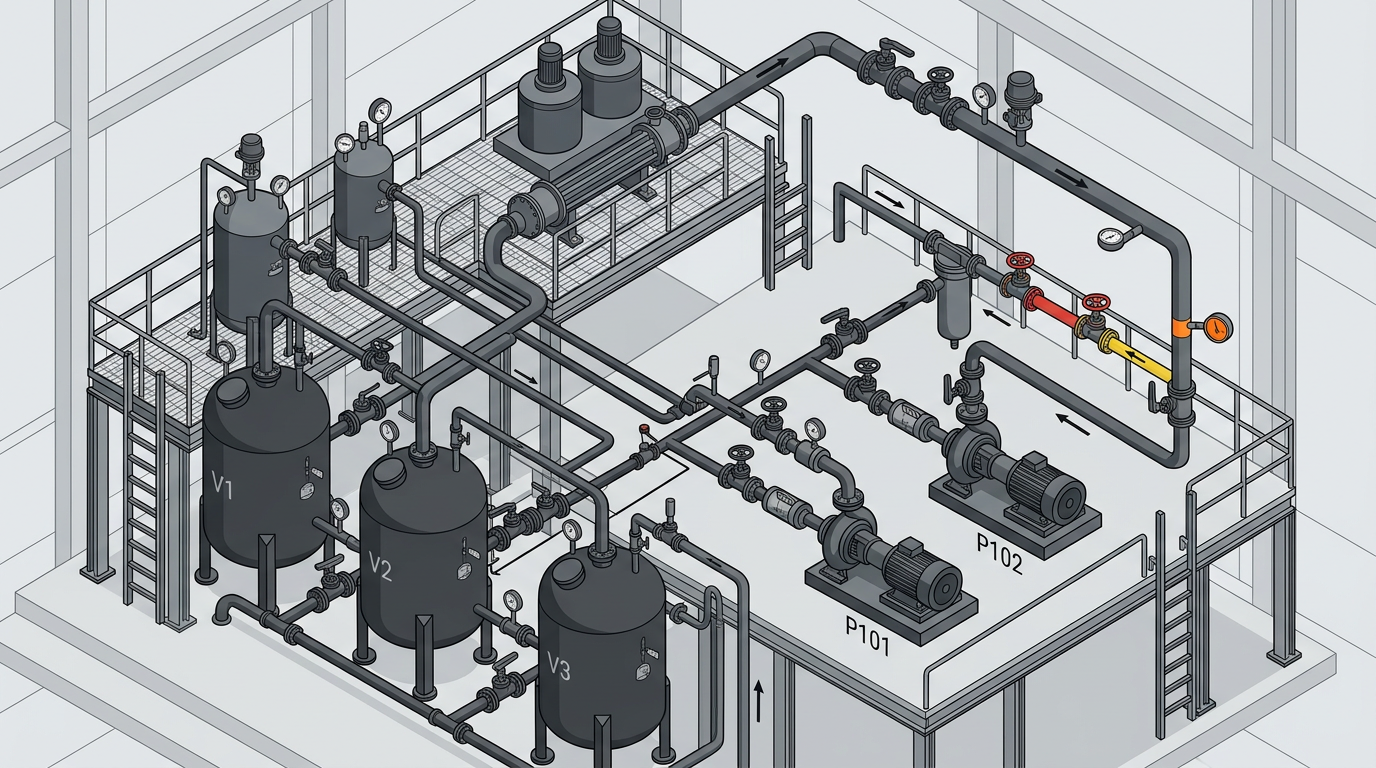
Walk into an industrial control room built in the late 1990s or early 2000s, and you will likely witness what process engineers call “The Christmas Tree Effect”:
- Bright fluorescent green pumps flashing to indicate they are running.
- Bright red valves glowing because they are closed.
- 3D beveled pipes with animated yellow arrows showing water flowing through conduits.
- Rows of decimal-heavy numeric readouts with no visual indication of high or low limits.
- Alarms flashing in seven different saturated hues across three monitors simultaneously.
To an untrained eye, this looks high-tech and active. To an experienced controls engineer, it is a catastrophic safety liability.
When a true equipment failure occurs in a plant illuminated like a casino marquee, the operator experiences visual sensory saturation and alarm blindness. In this article, we unpack the engineering principles behind ANSI/ISA-101.01-2015 (Human Machine Interfaces for Process Automation Systems), explore the cognitive psychology of pre-attentive visual processing, and examine how to transform visual clutter into actionable operational intelligence.
1. The Core Failure: Aesthetic Realism vs. Cognitive Processing
Legacy HMIs were designed by programmers trying to impress plant managers with graphical realism. If a physical storage vessel had rivets, an arched roof, and blue paint, the programmer drew a skeuomorphic 3D vessel with shadows and animated blue sloshing water.
[ Legacy Skeuomorphic HMI: Cognitive Arithmetic ]+-------------------------------------------------------------+| TANK_101 LEVEL: 74.2% (Bright Cyan on Black Background) || Operator thought: "Wait, is 74.2% normal? Is max 80% or || 90%? Where is the high alarm trip point? Let me look up || the P&ID sheet..." ===> REACTION TIME: 15–30 SECONDS |+-------------------------------------------------------------+[ ISA-101 High-Performance HMI: Pre-Attentive Visual Processing ]+-------------------------------------------------------------+| TANK_101 [====|========|====|---*--|====] 74.2% || LoLo Lo Target Hi HiHi || Operator glance: Pointer is inside the white target box. || No cognitive math required. ===> REACTION TIME: < 1 SECOND |+-------------------------------------------------------------+
The Human Cognitive Bottleneck
Human vision operates across two distinct cognitive layers:
- Pre-Attentive Processing: Subconscious, instantaneous visual perception (processed in < 200 ms). The brain recognizes contrast, position, shape, and size automatically without conscious focus.
- Attentive (Cognitive) Processing: Conscious, serial mental calculation. Reading a four-digit floating-point number (e.g., 142.7 PSI) and comparing it against mental operating boundaries requires conscious cognitive cycles.
When an operator oversees 300 analog control loops, requiring them to read and mentally evaluate numbers across multiple monitors induces rapid decision fatigue. An ISA-101 compliant screen converts numeric data into analog relationships: spatial positions, trend lines, and clear target boundaries.
2. The Color Philosophy: Grayscale Is Not Boring, It Is Functional
The most controversial rule for entry-level designers encountering ISA-101 is the Muted Palette Mandate:
Rule: Normal operational states must be represented exclusively in neutral shades of gray, slate, and muted beige. Color is reserved strictly and exclusively for abnormal conditions and active alarms.
| Visual Element | Legacy 1990s Standard | ISA-101 High-Performance Standard |
| Running Motor | Bright Saturated Green | Neutral Slate / Dark Gray Fill with textual status |
| Stopped Motor | Bright Saturated Red | Light Gray Outline / Inactive Neutral |
| Process Piping | Multi-colored 3D Tubes (Blue, Yellow, Pink) | Thin Single-Line Muted Gray Traces |
| Storage Vessels | 3D Skeuomorphic Cylinders with Gradients | 2D Muted Outlines with Minimal Boundary Marks |
| Normal Values | High-contrast neon numbers | Crisp Charcoal/Dark Slate text on light gray background |
| Active Warning | Flashing text | Solid Amber Triangle with Tier Icon (\triangle) |
| Critical Alarm | Multi-color strobe animations | High-contrast Solid Red Diamond with Tier Icon (\diamond) |
The “Color Pop” Effect
If an HMI display is entirely grayscale, your subconscious pre-attentive visual cortex will immediately snap toward any saturated color that enters your peripheral vision. If a pump bearing reaches its high-temperature limit, a single amber or red alarm glyph appearing on an otherwise calm, grayscale screen demands immediate attention.
Conversely, if the screen is already filled with saturated green running indicators, spinning cyan conveyor arrows, and yellow status labels, a red alarm glyph blends into the visual static.
3. Beyond Numbers: The Anatomy of an Analog Range Indicator
Raw numeric indicators tell you what a variable is, but they tell you nothing about how healthy it is. ISA-101 replaces standalone numerical readouts with Analog Range Indicators (also known as normalized radar/bullet gauges):
                   NORMAL TARGET RANGE
                      [==========]
    |-------|---------|==========|---------|-------|
   LoLo    Lo                              Hi     HiHi
                                            *
                                      Current Value (Alarming!)
An analog range indicator encodes five vital pieces of information into a single horizontal or vertical strip:
- Instrument Range: The total physical range of the sensor (0 to 100 kPa).
- Normal Operating Range: A subdued, shaded box representing the desired setpoint window.
- Trip Limits (LoLo, Lo, Hi, HiHi): Clearly marked boundary ticks.
- Current Operating Point: A single high-contrast pointer or marker.
- Rate of Change (Vector): An optional small directional arrow indicating whether the value is climbing or dropping.
At a single glance from across the room, an operator does not need to read the numbers. If every pointer is resting squarely inside its gray target box, the facility is nominal. If a pointer has drifted outside the target box toward the upper boundary tick, the operator spots the degradation minutes before an automated alarm trips.
4. The ANSI/ISA-18.2 Alarm Hierarchy & Rationalization
Designing a high-performance visual display is pointless if your alarm management philosophy is broken. ISA-101 displays work in tandem with ANSI/ISA-18.2 (Management of Alarm Systems for the Process Industries).
                      +-------------------+
                      |   CRITICAL (P1)   |  < 5% of total alarms
                      |   Action: Immediate |  Red Diamond [1]
                      +-------------------+
                     /                     \
                    +-----------------------+
                    |       HIGH (P2)       |  ~ 15% of total alarms
                    |   Action: < 5 Minutes |  Yellow-Orange Triangle [2]
                    +-----------------------+
                   /                         \
                  +---------------------------+
                  |        MEDIUM (P3)        |  ~ 80% of total alarms
                  |   Action: Scheduled Shift |  Yellow Square [3]
                  +---------------------------+
                 /                             \
                +-------------------------------+
                |       DIAGNOSTIC / EVENT      |  Logged to Historian
                |   No Operator Action Needed   |  (No Audible Buzzer)
                +-------------------------------+
The Three Golden Criteria of a Valid Alarm
Every alarm configured in your PLC logic must satisfy three non-negotiable criteria:
- It must be abnormal: It cannot simply indicate normal operational sequencing (e.g., “Pump Stopped” after an operator presses a normal stop pushbutton is a status event, not an alarm).
- It must require an operator response: If there is no specific action the operator can take to mitigate the condition, it belongs in an engineering diagnostic log, not on the operator’s primary screen.
- It must provide adequate time to intervene: If the consequence occurs before a human operator can diagnose and execute a response, it must be handled by safety instrumented systems (SIS) or hardwired interlocks, not a manual buzzer.
Visual & Redundant Alarm Encoding
Never rely on color alone. Approximately 8% of males and 0.5% of females experience color-vision deficiencies (protanopia or deuteranopia). ISA-101 mandates redundant coding:
- Priority 1 (Critical): Red fill + Diamond Symbol + Number
1. - Priority 2 (High): Amber fill + Triangle Symbol + Number
2. - Priority 3 (Medium): Yellow fill + Square Symbol + Number
3. - Priority 4 (Low / Advisory): Light Blue or Gray fill + Circle Symbol + Number
4.
5. The Four Levels of HMI Screen Hierarchy
High-performance HMI architecture structures displays into four operational tiers. An operator should never be forced to navigate a maze of nested equipment drawings to diagnose an active plant disturbance:
[ LEVEL 1: PLANT / UNIT OVERVIEW ]* 10-Second Assessment Screen* Shows whole facility KPIs: Overall production, environmental limits, high-level mass balance.* Zero control actuation buttons. Pure situational awareness and alarm rollups. | v[ LEVEL 2: UNIT OPERATION DISPLAY ]* The Operator's Primary "Home Screen"* Displays a complete logical process unit (e.g., Reactor Area, Boiler Island, Distillation Column).* Contains all primary controllers, analog range indicators, and trending sparklines. | v[ LEVEL 3: DETAILED EQUIPMENT TASKS ]* Subsystem Deep Dives* Opened via faceplates or popups for detailed troubleshooting (e.g., Variable Speed Drive diagnostic screen, Burner Management sequence step tree). | v[ LEVEL 4: DIAGNOSTICS & INTERLOCKS ]* Maintenance & Engineering Support* Detailed PLC I/O card status, cross-monitoring channels, communication packet drop rates, and raw field calibration registers.
6. Student Field Audit & Implementation Checklist
When reviewing an existing industrial facility or designing your capstone automation project, evaluate the interface against these six core checks:
- Conduct the “Squint Test”: Step back four feet from the monitor and squint until text becomes unreadable. Do you see flashing bright spots, rotating shapes, or multi-colored piping? If so, the display fails. Under normal operations, a squinted screen should appear as an even, neutral gray canvas.
- Eliminate All Running/Stop Lights: Replace saturated green “running” indicators and red “stopped” indicators with text badges (
RUNNING/IDLE) embedded directly into the equipment outline. - Enforce Trend Sparklines on Primary Variables: A single number without history is meaningless. Embed small, borderless 30-minute mini-trends next to critical levels and temperatures so operators can instantly observe slope and momentum.
- Remove Flashing Animations: Flashing is human-engineered for emergency biological reflexes. Reserving flashing exclusively for unacknowledged critical (P1) alarms. Once acknowledged, the visual alarm indicator must lock to a steady, solid glyph.
- Standardize Navigation Paths: Every Level 2 unit display must be accessible within one single click from the Level 1 overview. Never bury operational control screens more than two clicks deep.
- Rationalize Nuisance Alarms: Audit the plant alarm historian. Identify the top 10 most frequent alarms (“chattering alarms”). Apply deadbands, debounce delay timers (2 to 5 seconds), or suppress them if they do not demand direct operator action.
Interactive Lab: Open the ISA-101 Screen Audit & Situational Awareness Lab below. Toggle between the legacy 1990s skeuomorphic display and the ISA-101 High-Performance display. Run the anomaly injection test to observe your own reaction time differences when spotting process drifts.
The Situational Awareness Lab
Test your response time: Experience the cognitive gulf between a 1990s skeuomorphic “Christmas Tree” console and an ISA-101 High-Performance operator display.
Operator Reaction Challenge
Click “Inject Process Drift” and click the faulty unit the exact instant you spot it. Compare detection latency across both paradigms.
Feed Pump 101A
ID: P-101A | Continuous DutyFeed Pump 101B
ID: P-101B | Standby BoosterThe Four-Tier Alarm Rationalization Standard
Never rely on color alone. Redundant visual geometry protects operators with color-vision deficiencies while standardizing urgency.
Priority 1: Immediate
Imminent personnel hazard, catastrophic equipment damage, or environmental release. Immediate corrective action required ($< 1\text{ min}$).
Priority 2: Prompt
Process deviation threatening unit trip or major off-spec batch. Response required within $5\text{ to }10\text{ minutes}$.
Priority 3: Advisory
Minor operational deviation or maintenance warning. Response scheduled within shift ($< 60\text{ min}$).
Priority 4: Journal
Historical system event or diagnostic status. Logged to server historian without triggering operator screen buzzers.
